Pre-requisite:
1. View asset transfer report must be enabled.
Step 1:
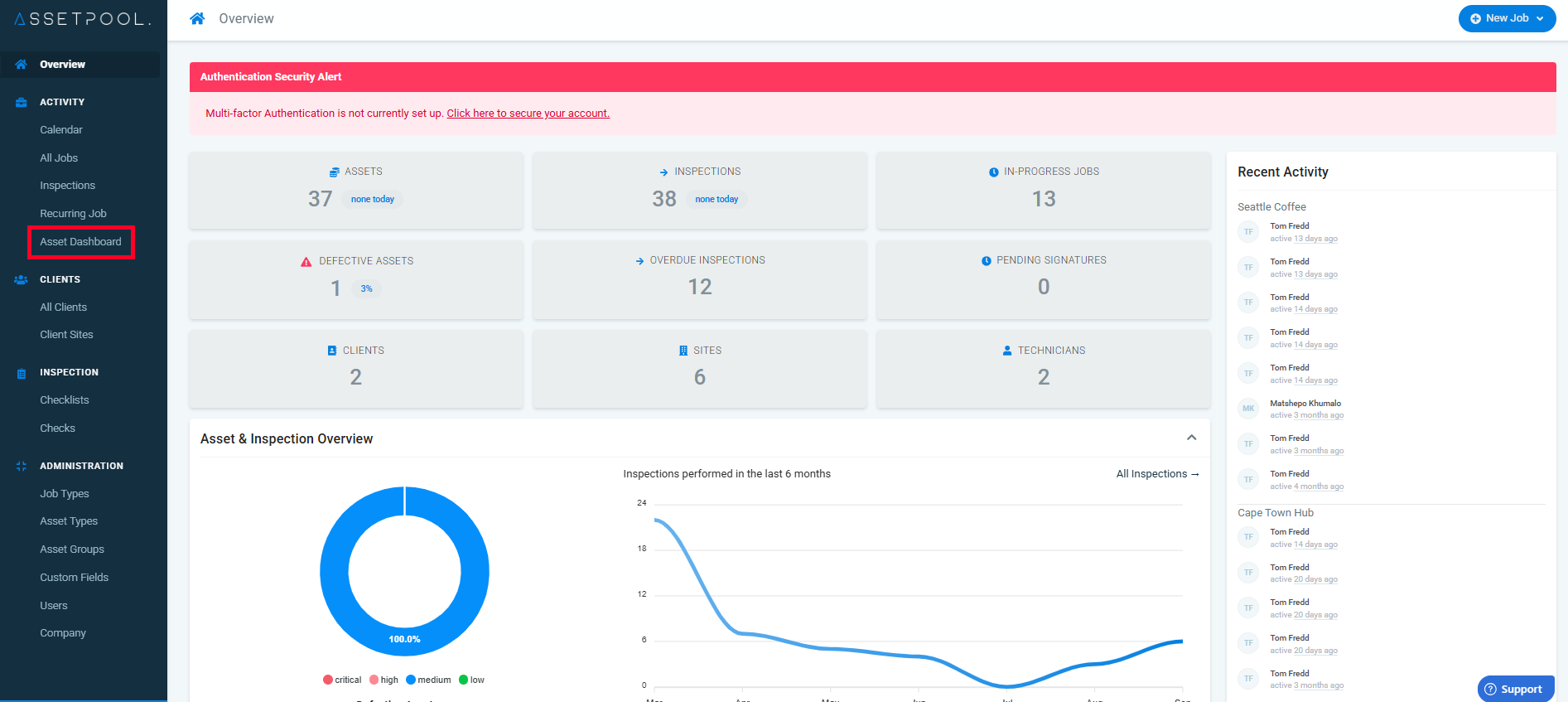
Navigate to the main menu on the left, and click on Asset Dashboard.
Step 2:
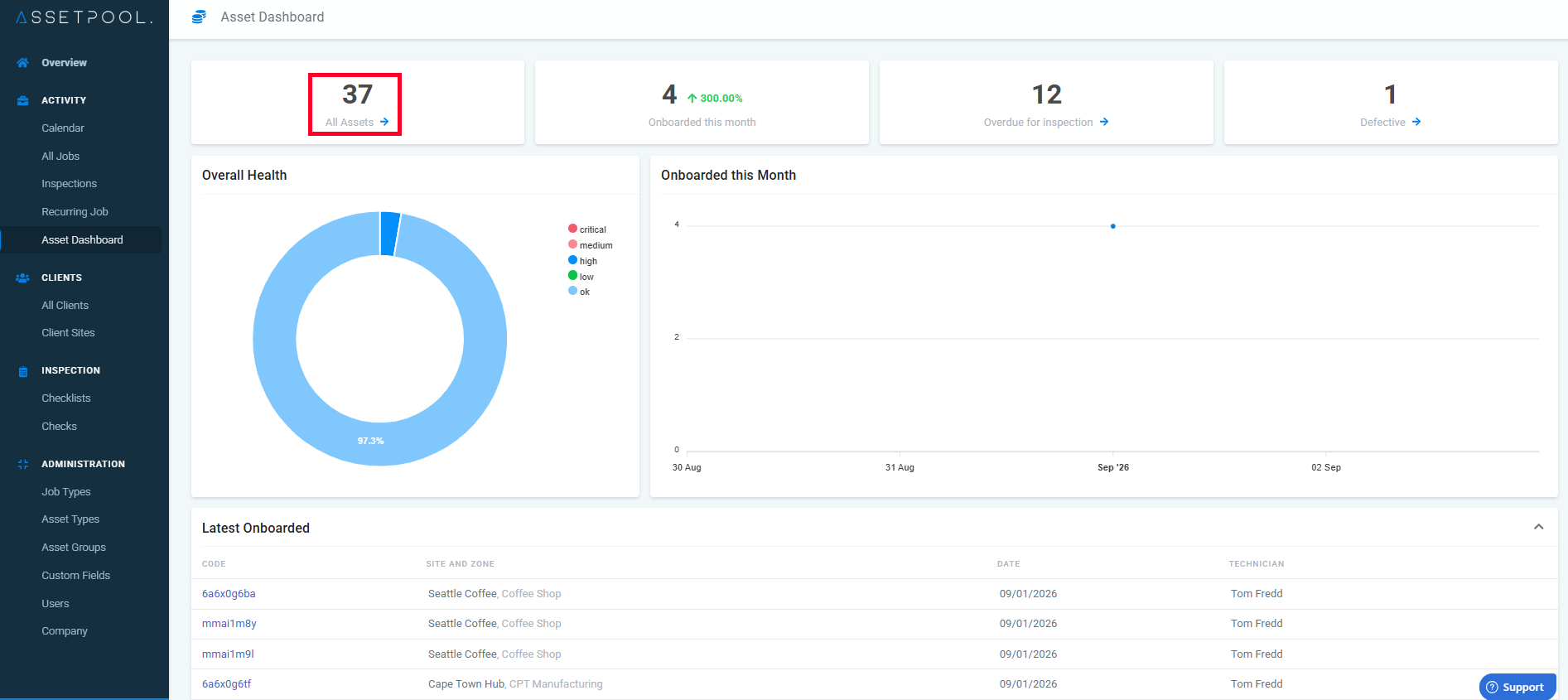
Under the Asset Dashboard screen, click All Assets.
Step 3:
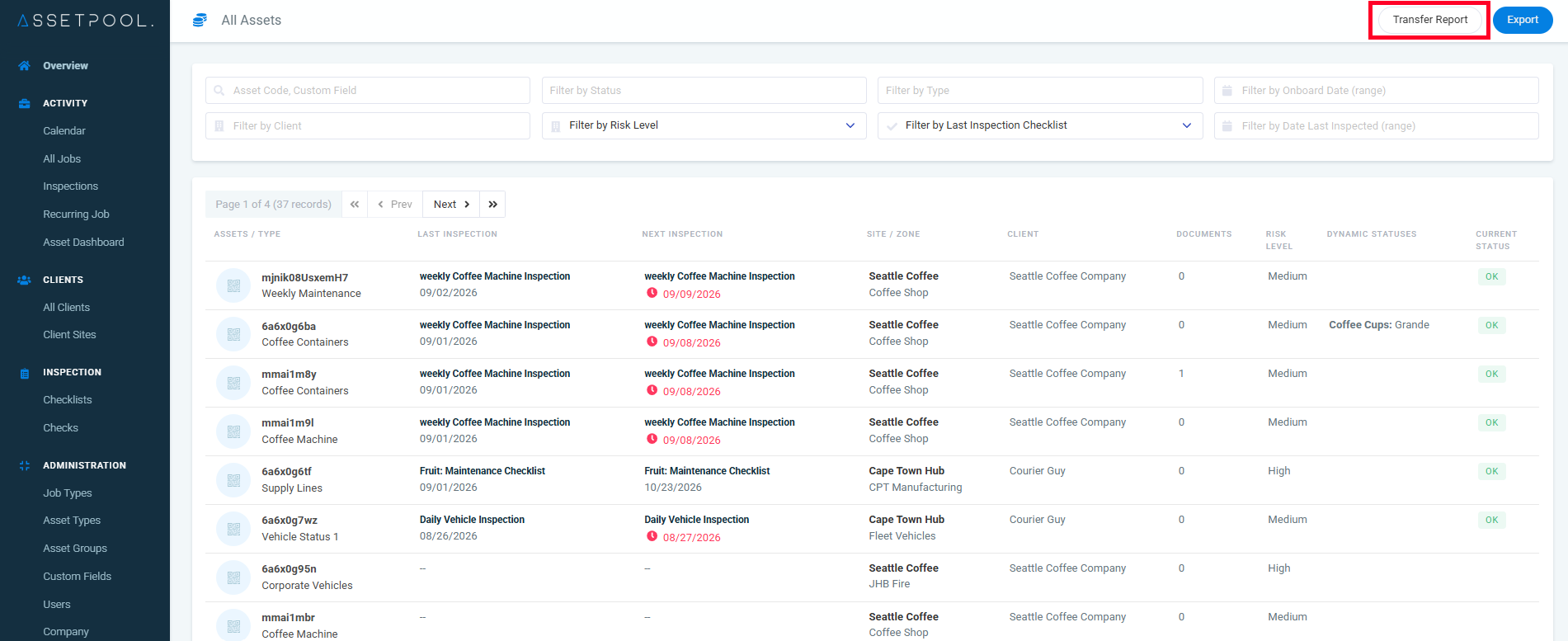
Under the All Assets screen click on Transfer Report.
Step 4:
A list of transferred assets will be displayed, as shown below.
There are various filters as shown below.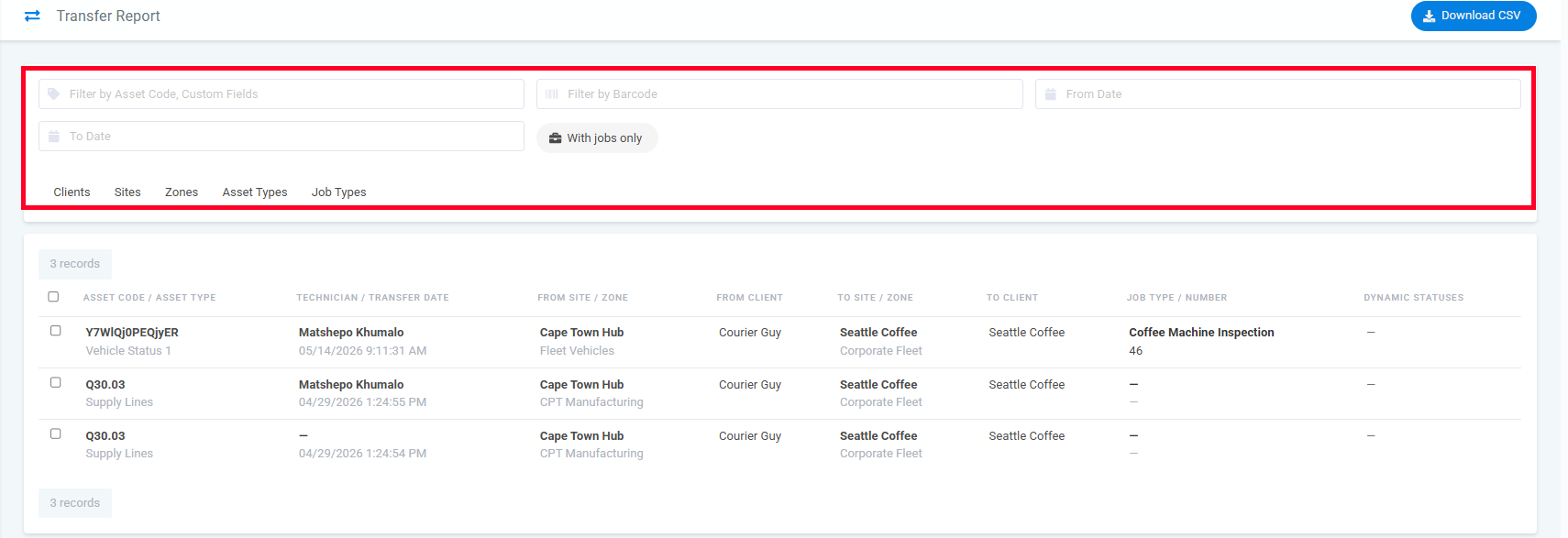
Step 5:
Click the Download button to download the report.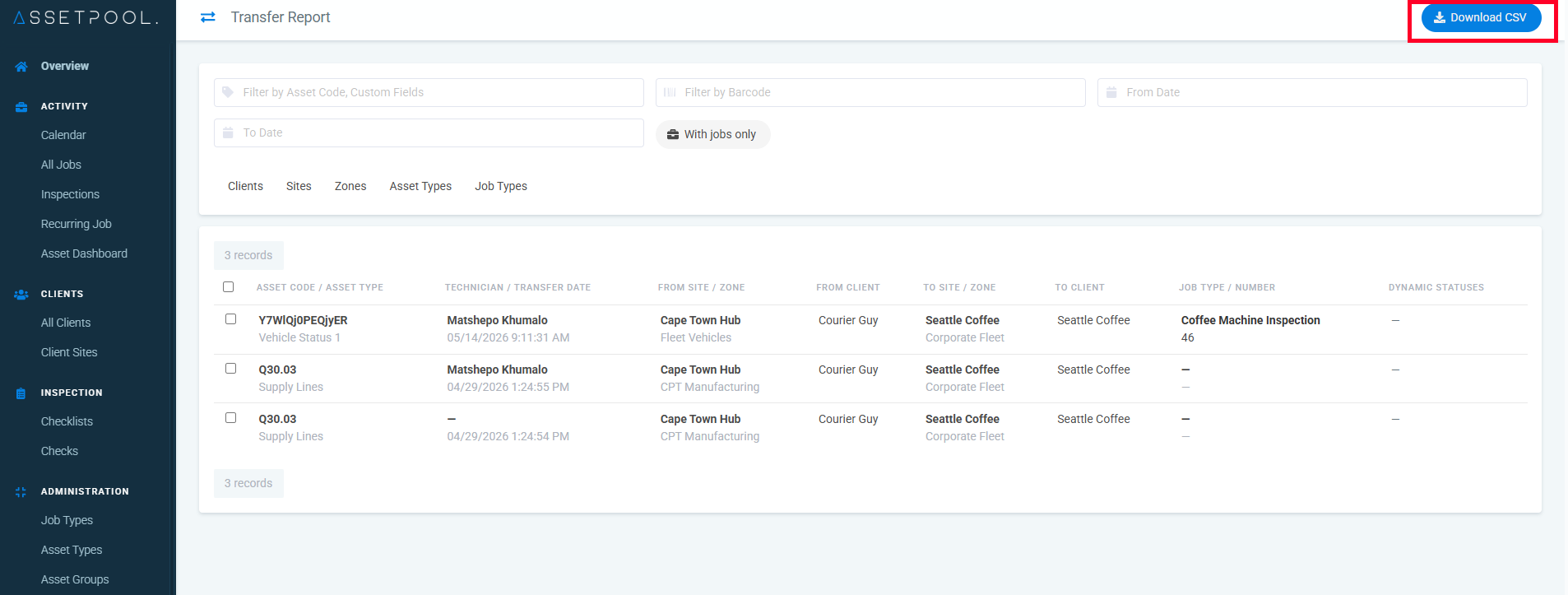
Was this article helpful?
That’s Great!
Thank you for your feedback
Sorry! We couldn't be helpful
Thank you for your feedback
Feedback sent
We appreciate your effort and will try to fix the article